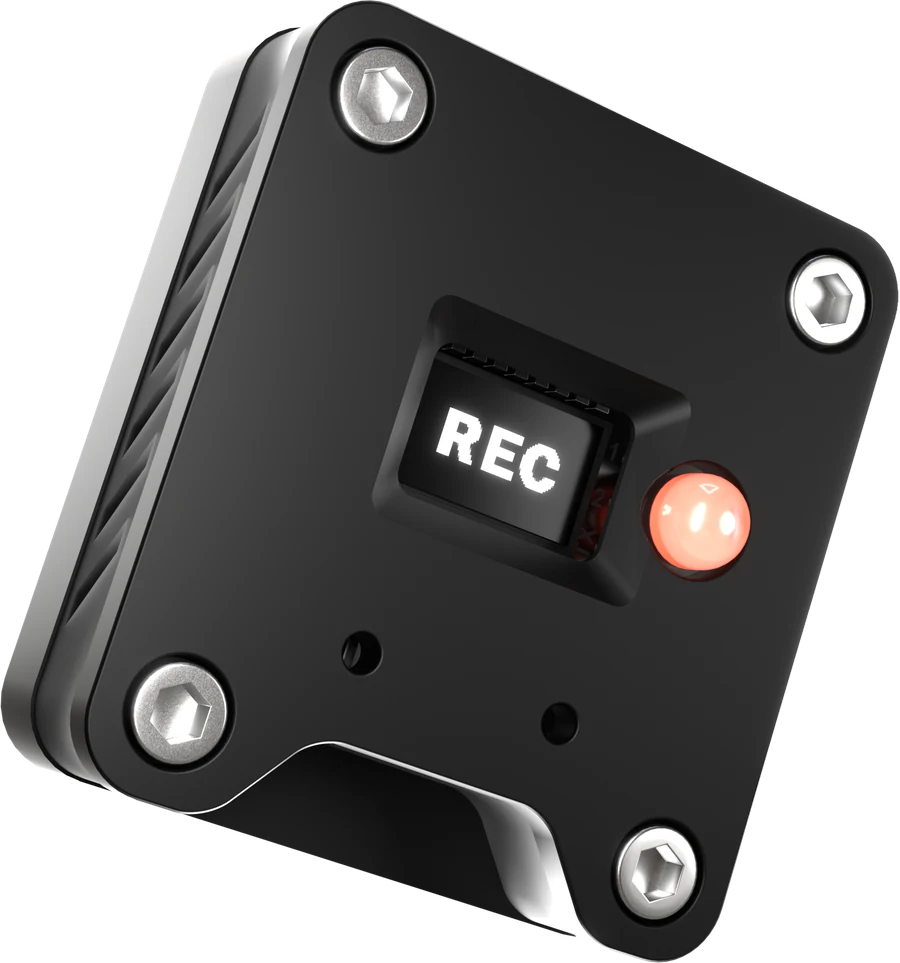
No app,
no cloud
A free plugin, AU and VST3, talks to the light over your local network. Plug in USB, connect once, and it stays connected. Nothing leaves your studio and nothing needs an account.
- Lights up the moment your DAW starts or records
- Runs on your own WiFi
- Powered by USB
- Mounts with magnets
What it needs
Nothing you do
not already have
- Network
- Your own WiFi, 2.4 GHz. The light and the plugin never leave your local network.
- Plugin
- Free AU and VST3 for macOS, Intel and Apple Silicon, and for Windows.
- Power
- USB. A wall adapter, a power bank or a free port on the desk all work.
- Mounting
- Flat, light housing for the wall or the door frame. Magnets or adhesive pads.
DAW integration
Download
the plugin
Install the RecLight plugin to connect your DAW to the light. Free, and available now — though it needs the hardware to do anything useful.
RecLight for macOS
AU · VST3 · standalone
One installer for Logic Pro, GarageBand, Ableton Live, Cubase, Reaper and every other AU or VST3 host. Intel and Apple Silicon.
Download .pkgRecLight for Windows
VST3 · standalone
One installer for Ableton Live, Cubase, Reaper, Studio One and every other VST3 host. 64-bit.
Download .exeVersion 1.0.2, free on both platforms — the plugin needs the hardware to do anything useful.
Order
One light,
posted to your door
30 € plus shipping · 4,90 € Germany · 9,90 € Europe
Built in Hamburg, one batch a month, posted at the end of the month. Order whenever — your light goes out with the next batch. Payment runs on Stripe’s own page, so your card details never touch this site, and the invoice arrives by email straight after.
Test mode — no real payment is taken.
- No VAT is charged under § 19 UStG (German small business rule)
- 14-day right of withdrawal — one email is enough
- Ships within Germany and the EU
By ordering you agree to the terms and confirm you have read the withdrawal policy and the privacy policy.
Ordering over the site is briefly unavailable. Write to mail@haukesteinbach.de and you get an invoice and a light from the next batch all the same.
Questions
Before
you order
Which DAWs does it work with?
Anything that hosts AU or VST3 plugins — Logic Pro, Ableton Live, Cubase, GarageBand, Studio One, Reaper and so on.
Mac or Windows?
Both. macOS on Intel and Apple Silicon, and Windows. The plugin is a free download on this page.
How does the light know I am recording?
The free RecLight plugin watches your DAW’s transport. When the transport starts or recording begins it messages the light over your local WiFi, and when it stops the light goes off. No cloud involved, everything stays in your network.
What do I need in my studio?
WiFi on 2.4 GHz that reaches the spot outside your door, and a USB power source for the light — a wall adapter, a power bank, anything with USB.
How do I mount it?
With the magnets in the housing, or with the adhesive pads. Wall or door frame, both work — the housing is flat and light.
When does it ship?
One batch is built every month and goes in the post at the end of that month. Order at any time; your light goes out with the next one, and you get a mail when it ships.
Where do I get the plugin?
Free download, further up this page. It needs the RecLight hardware to do anything useful.